facebook

Discover the Best Private Education & Trainings Classes in Cali

For over a decade, our private Education & Trainings tutors have been helping learners improve and fulfil their ambitions. With one-on-one lessons at home or in Cali, you’ll benefit from high-quality, personalised teaching that’s tailored to your goals, availability, and learning style.

Find Your Perfect Teacher

Explore our selection of Education & Trainings tutors & teachers in Cali and use the filters to find the class that best fits your needs.

Contact Teachers for Free

Share your goals and preferences with teachers and choose the Education & Trainings class that suits you best.

Book Your First Lesson

Arrange the time and place for your first class together. Once your teacher confirms the appointment, you can be confident you are ready to start!

0 Teachers your wish list
|
zoom in iconzoom out icon

4 education & trainings teachers in Cali

Julian

verified teacher icon
$14

60-min

/h

trusted teacher iconTrusted teacher

Illustrator for illustrators of all levelsTranslate this text using Google Translate.

Illustrator for illustrators of all levelsTranslate this text using Google Translate.

Illustrator is a great application that meets today's advertising needs. The focus of this course is carefully crafted, moving away from traditional teaching approaches in this discipline. It is essential to establish a knowledge link between color modes, the products that can be created with this application, integration with other applications, and different formats, such as the use of Excel spreadsheets to create interactive, mass-produced brochures with detailed information connected with markers. Regarding integration, we will use two sister applications of Illustrator: Photoshop and InDesign for the creation of magazines. It will be a great experience, below is the thematic content ILLUSTRATOR THEMATIC CONTENT - Introduction  Introduction to vector drawing.  Differences between a vector image and a bitmap image.  Concept of vector drawing with ILLUSTRATOR (Characteristics of a vector)  ILLUSTRATOR Vs ADOBE PHOTOSHOP  Professional-level tool utilities.  New features compared to the previous version  The work environment  The document window and workspaces  Tool palettes, panels, and control panels  Configure the workspace  Document configuration and adjustment.  Document navigation.  Rulers and grids.  Using guides and smart guides  Color modes (CMYK color management).  Image formats.  Working with PostScript.  Keyboard customization - Creating files, the layers panel, and setting up the workspace  Configure the new file for different modes  Data to take into account about pixels in the new document  Pixel grid alignment  Generate custom document template  Prepare files for large outdoor advertising  Design compositions using layers and sublayers  Layer options.  Hierarchical layer structure.  Locking/unlocking elements.  Selections with layers.  Layer colors.  Nested layers.  Moving objects in layers - Storage formats, PDF files, export formats - Operations on Images  Rasterization concept and rasterization effects settings  Coupling transparencies  Selecting unaligned objects in ILLUSTRATOR  Graphic styles applied to vectors  Bitmap-based opacity masks  Pixelated effects on vectors  Place vs. Open photos (Linked vs. Embedded objects)  Preview pixels and contour  Preview of color separations and transparencies coupling  Quality output for bitmap elements  Printing bitmap documents  Print Presets  Segmentation of large documents  Boundary marks crop marks  Overprinting strokes and fills - Work tools  Navigation tools  Hand  Impression segmentation  Zoom  Copy and paste options; duplicating objects  Selection tools.  Configure selection and keyboard preferences  Normal, direct selection and group selection  Selection of objects in front, middle and back  Typical selection tools  Magic wand  Lasso selection  Selection by attributes  Group and ungroup  Isolation modes  Resize images and angles  Transformation Tools / Repeat Transformations  Reflection and distortion  Alignment and distribution of objects  Editing paths and Bézier curves.  Pen  Add anchor point  Delete anchor point  Anchor point  Curvature  Editing and modifying paths  Join and average paths  Simplify  Attributes of a stroke  Rows and columns  Compound paths  Clipping mask  Outline and move paths  Draft  Scissors  Blade  The brush and pencil tools, shaper, and adjustments  Shaper  Pencil  Soften  Stroke eraser  Brushes and Creation  Shading effects  Pattern brush  Ink strokes  Special brushes  Shading pen  Working with symbols  Symbol sprinkler  Move symbol  Gather and separate symbol  Change symbol size  Rotate symbol  Stain symbol  Translucent symbols  Apply styles to symbols  Color tools  Fill and stroke.  The color palette.  The samples palette.  Custom color libraries.  Paint bucket and eyedropper tool.  Color modification filters.  Reasons.  Degraded  Interactive paint can  Interactive painting selection  Drawing geometric figures  Drawing vector objects and properties  Main geometric objects in ILLUSTRATOR  Rectangle  Ellipse  Polygon  Star  Flash  Arch  Spiral  Rectangular grid  Polar grid  Interactive vertices  Shape Builder Tool  Sector and perspective tools  Sector  Select sector  Perspective grid  Perspective selection  Working with text  Draw text with color and outline; font style  Creating text boxes.  Create text outline  Custom text paths.  The text editor.  Flow text.  Mask text.  Use of text and brushes.  Flattened text.  Text  Area text  Text in path  Vertical text  Vertical area text  Vertical text on path  Retouch text  Modification Tools.  Rotate  Reflect  Climb  Distort  Reform  Width  Deform  Windlass  Pucker  Gain weight  Scallop  Crystallize  Wrinkle  Free transformation  Merger - Effects and Expand  Expand and Expand Appearance  From ILLUSTRATOR  3d  Path effects (Pathfinder)  Form conversion  Stylization  Applying filters  Clipping mask  From Photoshop - Mesh management, merges and gradients  Handling rounded meshes.  Advanced mesh management.  Mergers.  Working with mergers: expand, invert, and drop.  Gradients and gradient meshes.  Merger examiner.  Shadows of mergers.  Unified gradients. - Transparency and Appearance  Handling transparencies.  Opacity masks and coverage controls.  The Appearance palette.  Transparent colors.  Basic flashes.  Opacity masks. - Review of pre-print features  What should be done to design very large advertising works?  Prepare folder for sending to the contracted printer  Export as PDF.

Thomas

verified teacher icon
$69

60-min

/h

trusted teacher iconTrusted teacher

Advanced English Close Reading and Analytical Writing, AP English, College Essays, College Readiness, Proofreading, Editing, and TranslationTranslate this text using Google Translate.

Advanced English Close Reading and Analytical Writing, AP English, College Essays, College Readiness, Proofreading, Editing, and TranslationTranslate this text using Google Translate.

Greetings, my name is Thomas from Cali, Colombia. With over 40 years of experience teaching AP English Literature and serving as an AP Reader for the past 20 years, I offer a unique and comprehensive approach to tutoring Language Arts, Essay Writing, and Literature. I provide elite literary analysis and personalized, multi-draft mentoring to transform student essays from competent to extraordinary. My expertise lies in close reading techniques and comprehensive, line-by-line feedback to help students master university-level reading and writing skills. Having scored over 22,000 AP Literature essays, I bring a keen eye and honest, constructive criticism to elevate analytical abilities. Students can expect vibrant discussions analyzing classical works, followed by critical, deep writing developed through my proven process. In addition to honing writing prowess, as a librarian for 20 years, I introduce captivating literary works and teach how to find personal relevance and timely insights. I also guide the effective use of AI writing tools to further enhance essays and build independence. My goal is for all students to develop the invaluable reading and writing skills crucial for university success and beyond. I hold a Master of Arts in Education in Curriculum and Instruction from Western Carolina University, a Master of Library and Information Science from the University of Rhode Island, and a Bachelor of Arts in English with a minor in Psychology from the University of Iowa. As well, I am certified to teach both English and Psychology in the United States.

paperclip

Meet even more great teachers.

Try online lessons with the following real-time online teachers:

play iconVideo

Gaurav

verified teacher icon
Recently active
Recently active
5.0

7 reviews

(7)

$28

60-min

/h

trusted teacher iconTrusted teacher
student icon
1Students

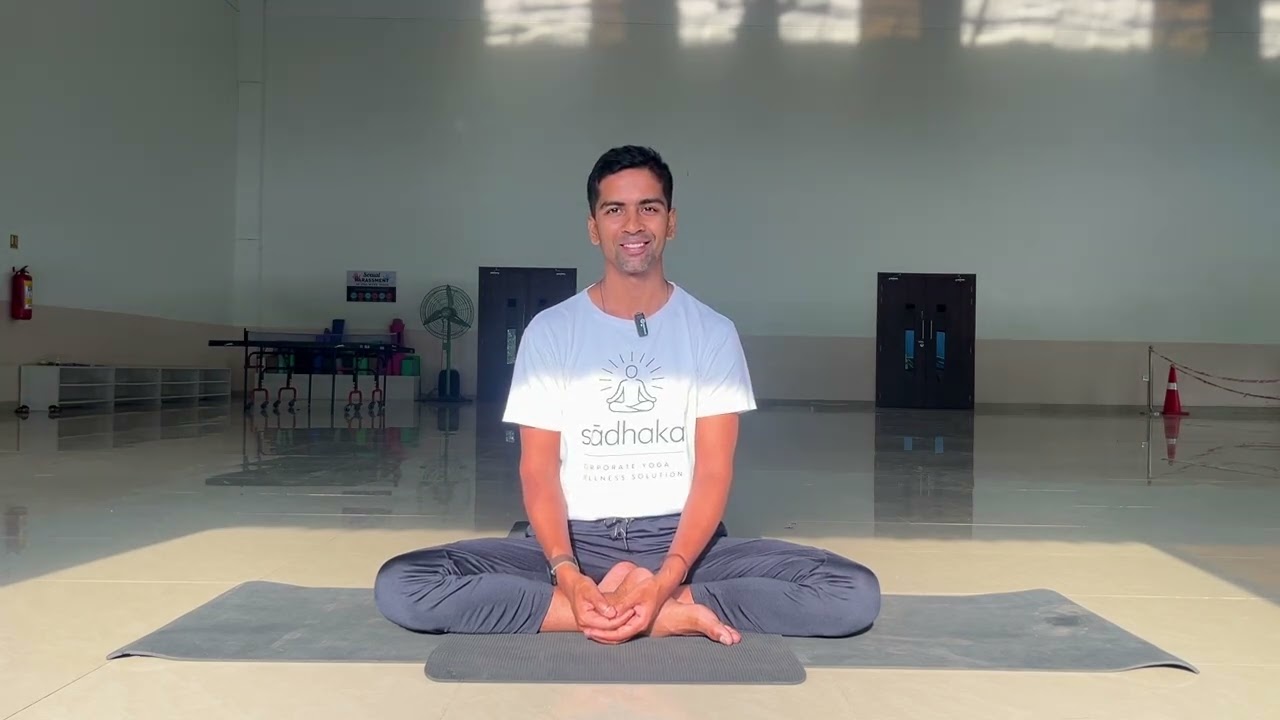
Yoga for Stress Relief & Emotional Balance. “Let go of tension, return to calm.”Translate this text using Google Translate.

Yoga for Stress Relief & Emotional Balance. “Let go of tension, return to calm.”Translate this text using Google Translate.

Feeling overwhelmed? Join this calming, beginner-friendly online yoga class designed to help you release tension, relax your mind, and reconnect with inner peace. We’ll combine gentle movement, breathwork (pranayama), and mindfulness techniques to regulate stress, improve sleep, and support emotional clarity. Perfect for all levels. No previous yoga experience needed. Ideal for anyone working from home, dealing with anxiety, or simply looking for a mental reset. Format: Live Online Session Duration: 45–60 minutes Level: Beginner to Intermediate Frequency: Weekly or biweekly BASIC OUTLINE: (Every class flow will be different:) 1. Welcome & Check-in (5 min) Quick introduction, class intention: “Let go of tension, return to calm.” 2. Grounding Breathwork (5 min) Practice: Box Breathing or Nadi Shodhana (alternate nostril breathing) Goal: Activate parasympathetic nervous system (rest & digest) 3. Gentle Flow & Stretching (20–25 min) Poses include:Child’s Pose,Cat-Cow,Seated Forward Fold,Supine Twists,Legs-Up-the-Wall Slow transitions with breath awareness 4. Guided Meditation / Body Scan (10 min) Optional background music Focus on softening the body and letting go of emotional tension 5. Closing & Affirmation (5 min) End with a grounding affirmation or quote Optional journaling suggestion after class: “What am I ready to release today?” “Stress builds up in the body—let's release it together. 🧘‍♀️ Join my online Yoga for Stress Relief class this week. No experience needed. Just bring your breath. 🌿”

Video thumbnail
Play icon
Gaurav's video

Matías

verified teacher icon
Recently active
Recently active
5.0

83 reviews

(83)

$36

60-min

/h

trusted teacher iconTrusted teacher
student icon
6Students

Engineering, electronics, programming, robotics and various projects with ARDUINO and ESP32 and RaspberryPi boardsTranslate this text using Google Translate.

Engineering, electronics, programming, robotics and various projects with ARDUINO and ESP32 and RaspberryPi boardsTranslate this text using Google Translate.

Do you dream of mastering the art of electronic design, advanced programming and creating awesome robots? Do not look any further ! I offer personalized courses that will guide you into the exciting world of engineering, with an emphasis on electronics, programming and robotics. Electronics: Learn to create circuits, understand components, and carry out innovative electronics projects. Programming: Immerse yourself in the world of coding and develop programming skills, from classic languages to new technologies. Robotics: Explore the basics of robotics, create autonomous robots, and discover how to bring your ideas to life. Miscellaneous Projects: Use popular platforms like Arduino, Raspberry Pi, and more to bring your unique and exciting projects to life. Whether you're a beginner or looking to deepen your skills, my classes are suitable for all levels. With interactive lessons, challenging projects, and expert guidance, you'll progress quickly and confidently. Don't let your dreams of innovation wait any longer. Join me on this rewarding learning adventure and start creating today!

PreviousShowing results 1 - 4 of 41 - 4 of 4Next

Our students from Cali evaluate their Education & Trainings teacher.

To ensure the quality of our Education & Trainings teachers, we ask our students from Cali to review them.

Only reviews of students are published and they are guaranteed by Apprentus. Rated 4.9 out of 5 based on 253 reviews.

It is with the utmost admiration and gratitude that I extend my effulgent endorsement for David, the epitome of mathematical tutorship. His fervor for the subject and his pupils is steadfast, and David’s commitment to ensuring proficiency and comprehension is manifest in every tutorial session. His availability is most pliable, as he exhibits a constant readiness to alter his docket to accede to the necessities of his students. This adaptability is rare and precious quality, one that has played a seminal role in my time near the finals. Not only do he demonstrate devotion during his scheduled lessons time, for he is always approachable for additional guidance and support outside his hours. David’s unwavering dedication to the academic success of his students is truly remarkable and deeply appreciated by those who benefit from it. What distinguishes David is not solely his mastery in mathematics, but his amiable and cordial demeanour. He cultivates a genial and hospitable environment; and his pedagogy a harmonious blend of professionalism and conviviality. I consider myself fortunate to have availed myself of David’s instruction, and I cannot recommend him highly enough. In conclusion, if you seek a mathematics tutor, David Devidze should be your first port of call. His passion for the subject, commitment to his students, and affable personality makes him the ideal tutor for anyone seeking to enhance their mathematical understanding and aptitude. A true gem in the world of tutelage

We are very happy with the French lessons Awni gives to our 14-year-old daughter. He is very flexible and adapts the lessons perfectly to her needs and level! He places special focus on pronunciation, vocabulary, listening skills, and conversation, while introducing interesting topics that make the lessons engaging and enjoyable. He is also willing to adjust the lessons to the homework and topics covered at school, which has been extremely helpful for her progress and confidence in French. Our daughter genuinely enjoys the lessons because Awni is motivating, clear, patient, and kind. He creates a positive atmosphere that makes learning fun and effective at the same time!! We highly recommend him as a French teacher!

Highly recommended teacher!!! Matias teaching methods are great. Very clear and concise. Doesn’t waste your time explaining meaningless background information and always lectures with the intent to help you understand the material. He’s helped me understand content for my master course on Python and is one of the best lecturers that I’ve had. Your passion and dedication is beyond words! Thank you for getting me through this hard quick semester, I honestly would have never passed if it was not for your help! Thank you so much once again!

To ensure the quality of our Education & Trainings teachers, we ask our students from Cali to review them.

Only reviews of students are published and they are guaranteed by Apprentus. Rated 4.9 out of 5 based on 253 reviews.

Map
Map